2026.11.11
VOCALOID7 Setup guide for Ableton Live series
This article explains how to use VOCALOID7 with Ableton Live. Using VOCALOID7 Editor within a Live project allows VOCALOID7 data to be saved directly together with your Live project.
- Since Live does not support ARA2 (Audio Random Access), playback/stop controls will not synchronize between Live and VOCALOID7. Settings and operations in Live take precedence.
- The screen display and setup procedure are nearly identical for both Windows and Mac versions.
Contents
1. Start Live and create a Live Set
2. Assign VOCALOID to the MIDI track
3. Confirm operation
1. Start Live and create a Live Set
First, launch Live and create an empty Live Set (project).
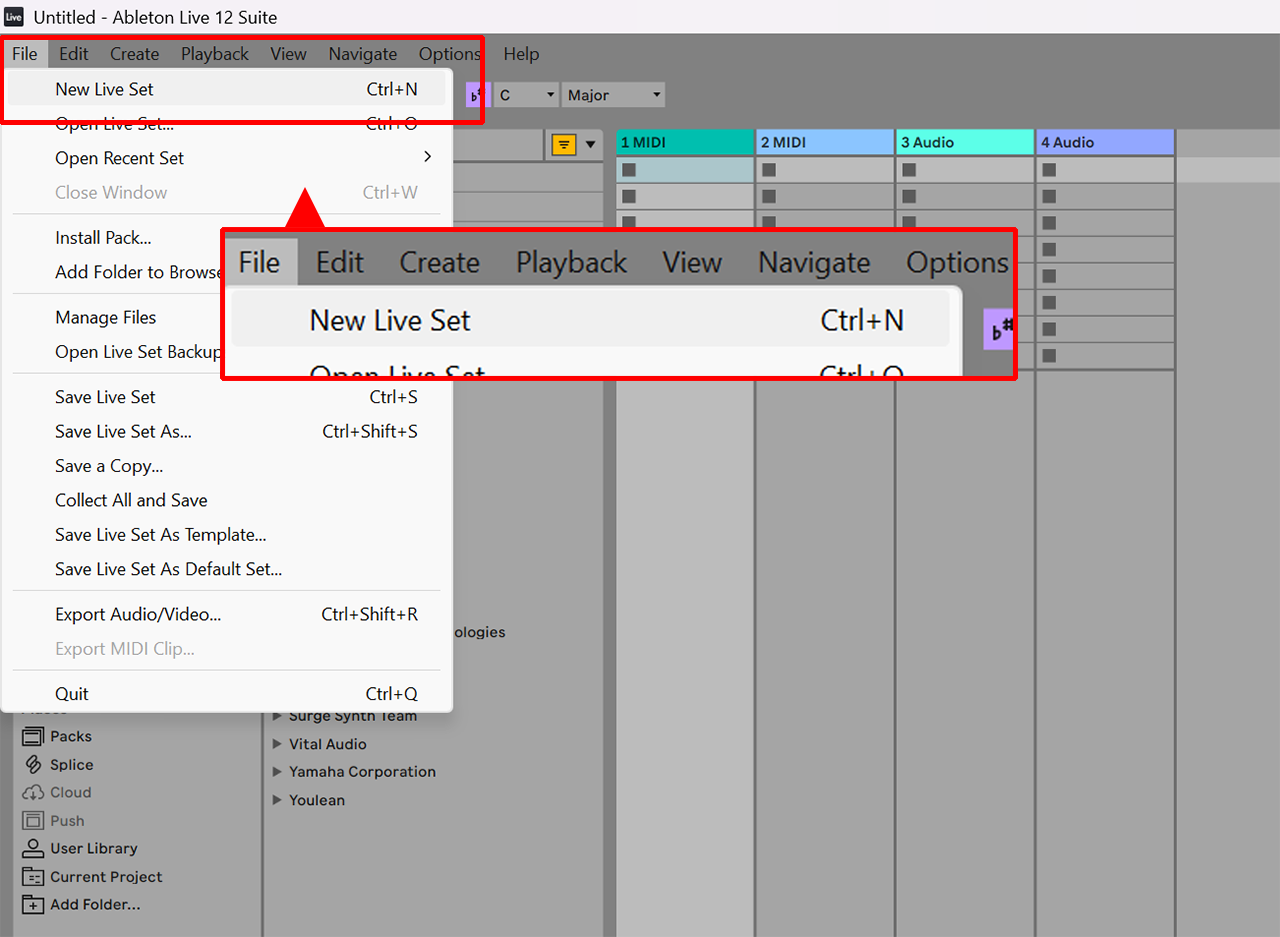
- An empty Live Set is automatically created upon launch. To create one manually, select [File → New Live Set].
2. Assign VOCALOID to the MIDI track
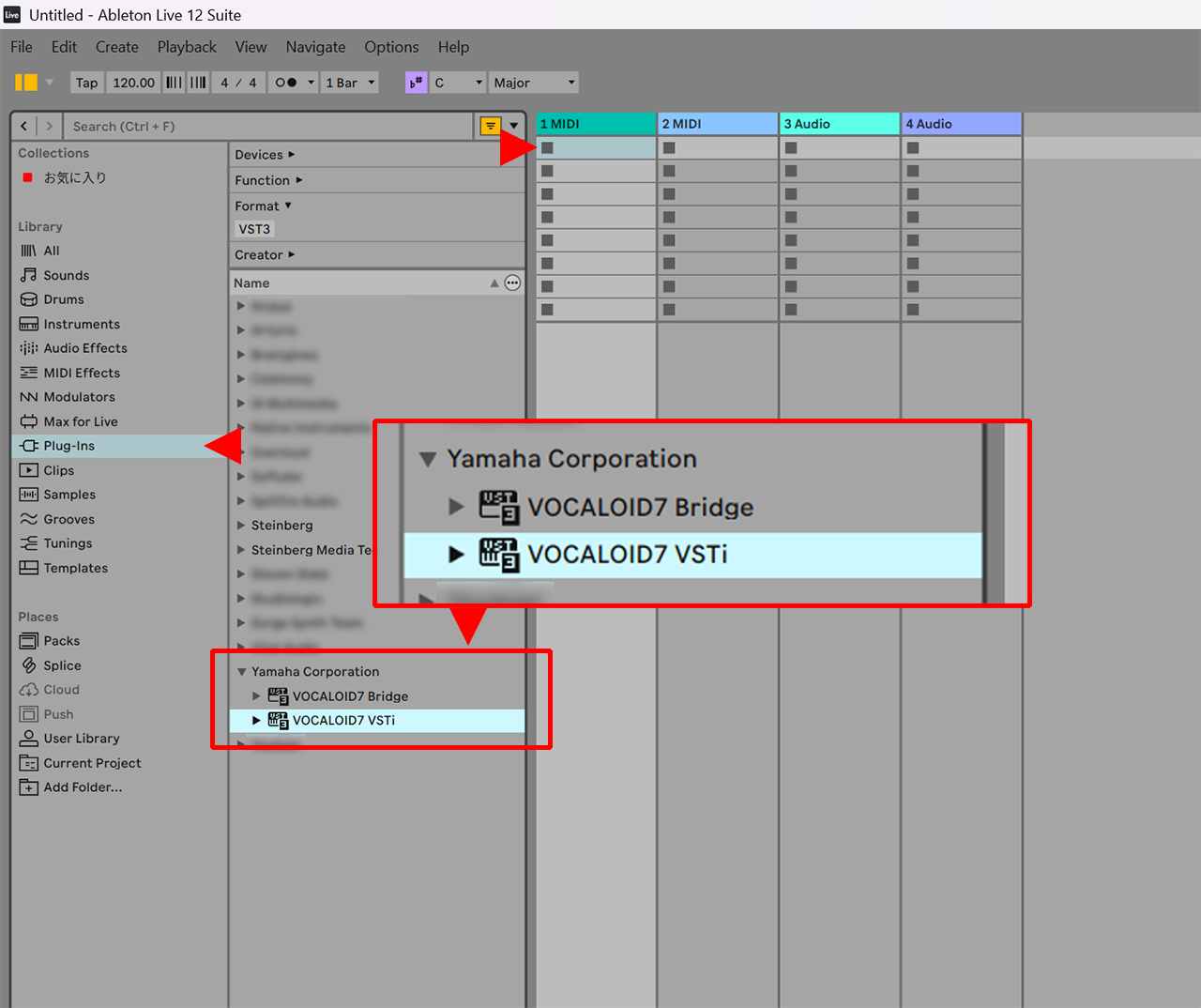
Click [Plugins] in the browser, select [Yamaha Corporation → VOCALOID7 VSTi], and double-click it.
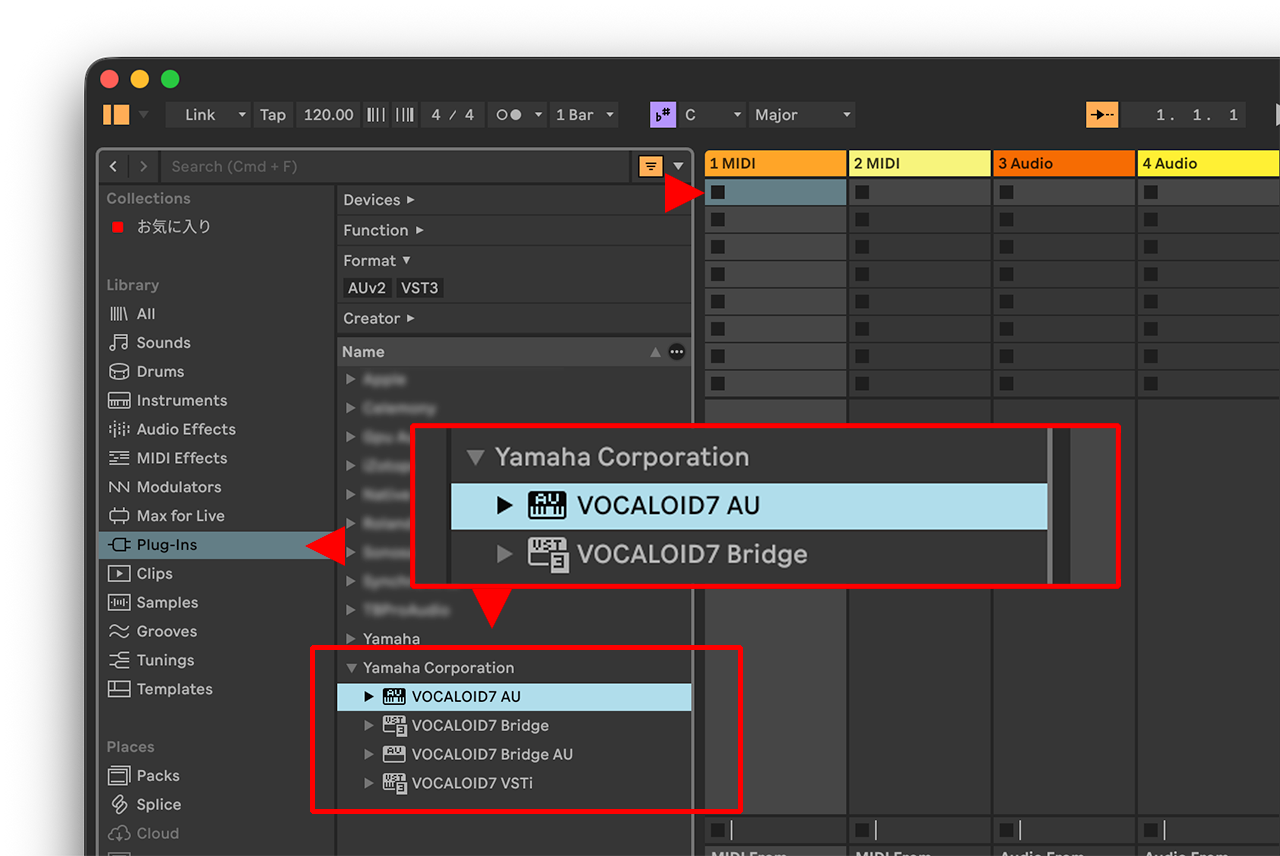
For Mac users, you can use either VST3 or Audio Units. The VST3 version is displayed as [VOCALOID VSTi] and the Audio Units version as [VOCALOID AU].
This completes the setup. A MIDI track has been created in Live, and VOCALOID7 Editor is now launched.
3. Confirm operation
Let's verify that VOCALOID7 Editor and Live are working properly.
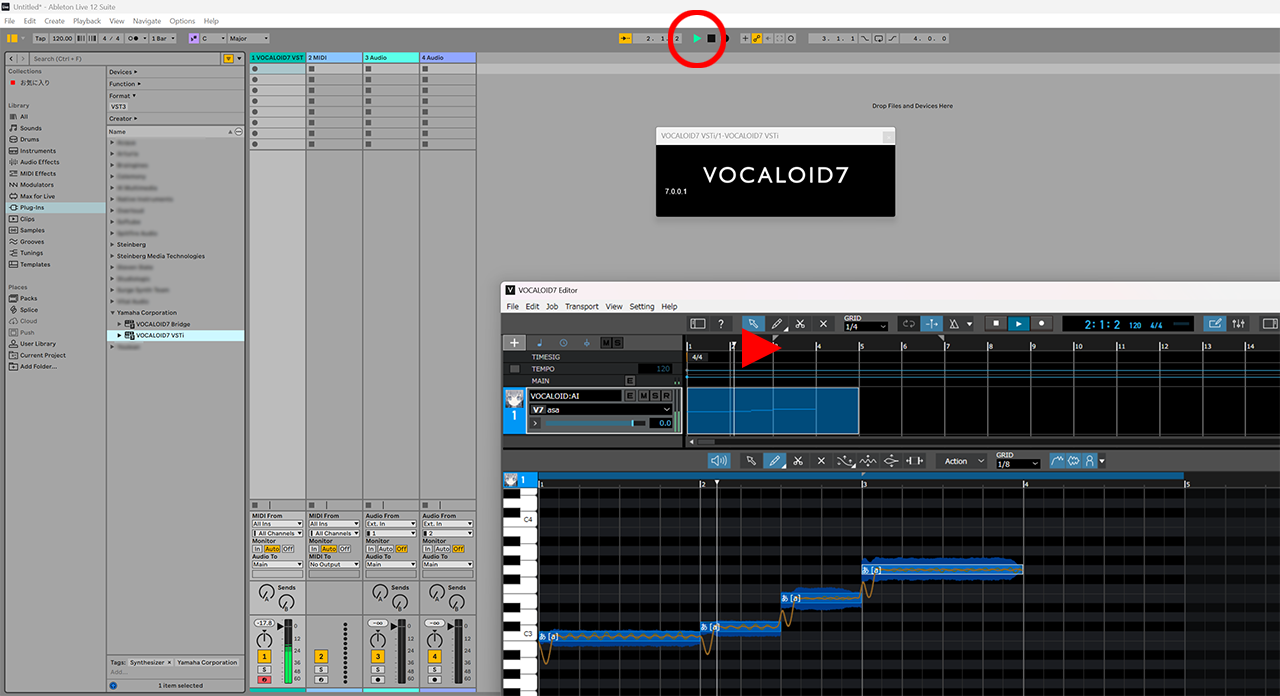
Click Live's play button to play and stop the project. VOCALOID7 Editor will play and stop in sync with Live.
- Clicking the play button in VOCALOID7 Editor will not synchronize playback in Live. Additionally, playback will always start from the song position set in Live, regardless of the song position set in VOCALOID7 Editor.