2026.02.20
VOCALOID Product License Management – Authorization and Deauthorization –
Strict license management is conducted via an internet connection to ensure that VOCALOID products can only be used by the purchaser. To use VOCALOID products, license authorization is required in your environment.
Each product has an authorization grace period (31 days for VOCALOID6 Editor and 14 days for Voicebanks). Please ensure you complete the activation within this period.
If you change the computer you are using, you must deauthorization the old computer and authorization the new one. By following the correct authorization procedures, you can continue using VOCALOID products even when changing PCs.
This article explains the basic knowledge and methods regarding authorization and deauthorization (license management).
- VOCALOID products can continue to be used on a newly purchased computer.
- VOCALOID products can continue to be used even after reinstalling the OS.
Contents
- Mechanism of license management (authorization and deauthorization)
- Case Studies
- Methods for Authorization and Deauthorization
Mechanism of license management (authorization and deauthorization
License
Each VOCALOID product is assigned a unique serial code. "Serial code" and "license" are nearly synonymous; if you possess a serial code, you possess a license.
A single serial code can only be used in one environment (one user PC). In VOCALOID license management, an "environment" refers to a set consisting of one computer and its OS.
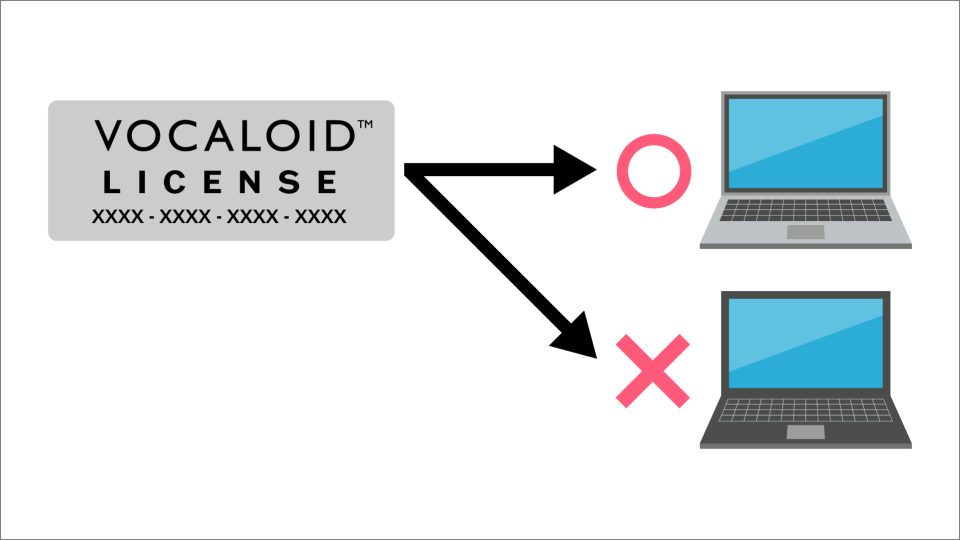
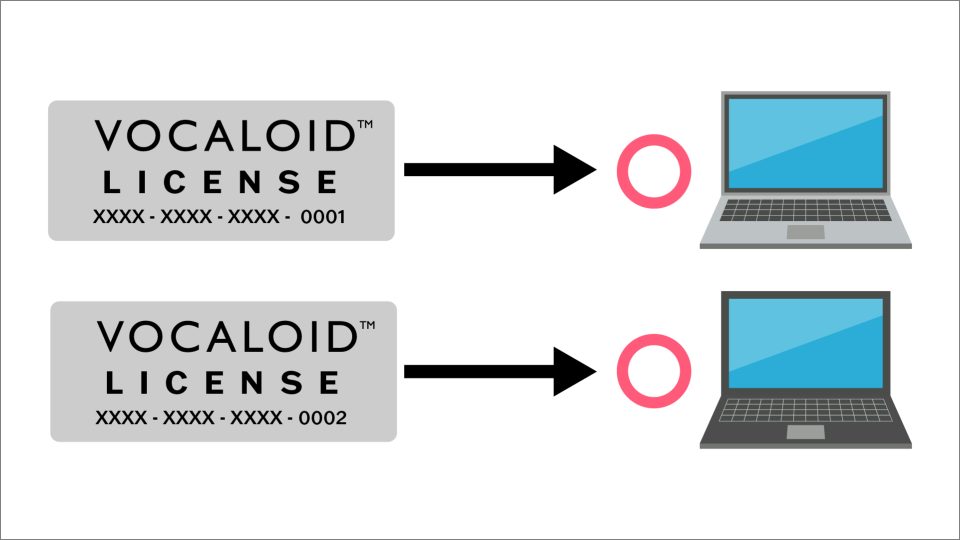
A single serial code cannot be used in multiple PCs. To use it in multiple PCs, please purchase as many products as there are PCs you wish to use. For example, if you purchase three of the same product, you will hold three licenses and can use them in three PCs.
Authorization
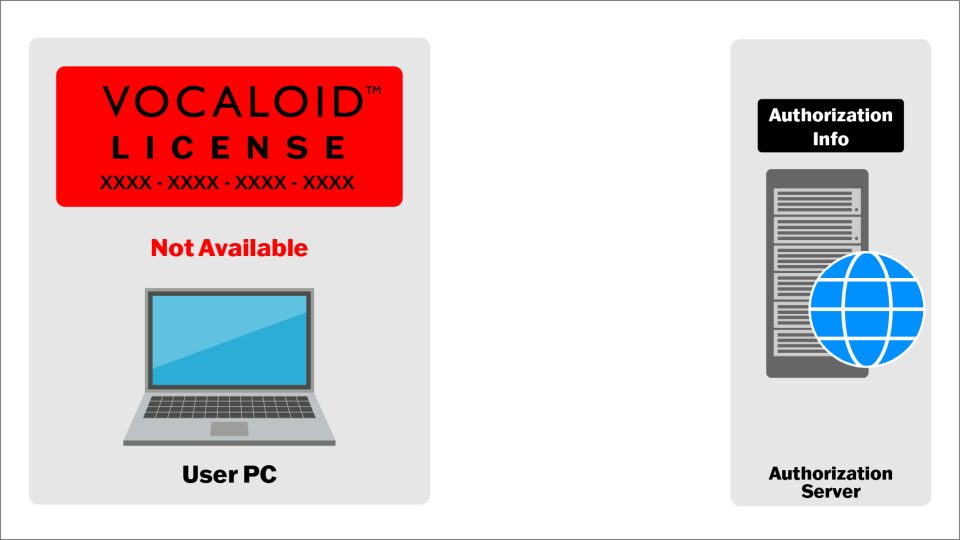
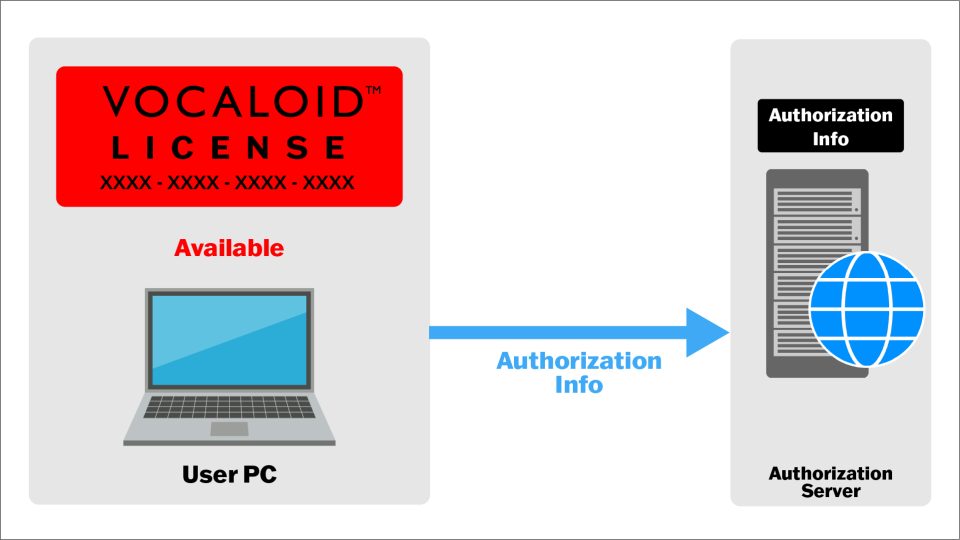
To use a VOCALOID product, "authorization info" is required.
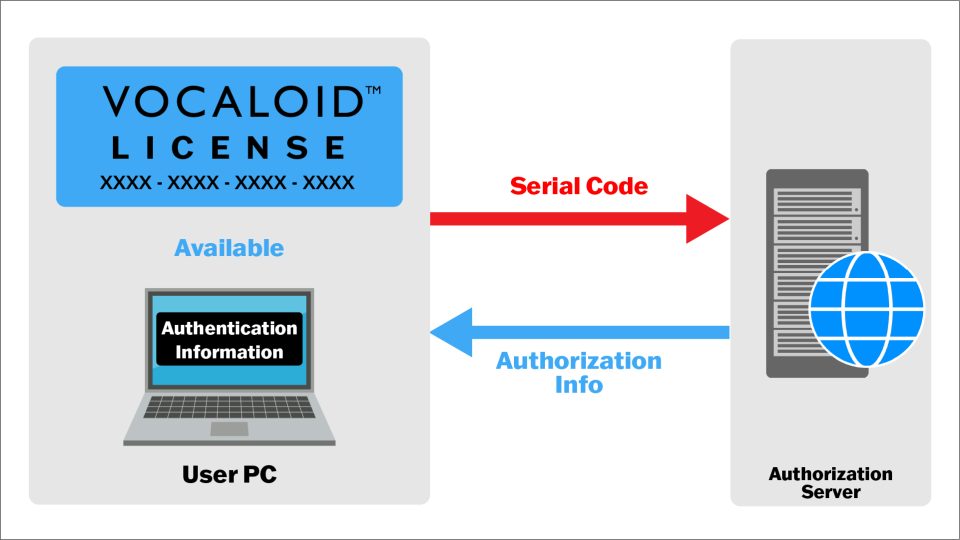
Each license allows you to obtain one set of the authorization info, which can be acquired immediately by submitting the serial code included with the product to the authorization server. The server is managed by Yamaha Corporation, and you connect via the internet using dedicated license management software.
The series of procedures to obtain an authorization info is called "authorization."
When an authorization info is obtained, it is stored in the PC you are using. This state is referred to as "Authorized." VOCALOID products verify that the authorization info is held in the user PC upon startup.
Deauthorization
When you stop using VOCALOID on a currently authorized PC, such as when migrating to a new PC, use the dedicated license management software to return the "authorization info" to the authorization server server via the internet.
The procedure to return an authorization info to the authorization server is called "deauthorization."
Once the authorization info is returned to the server, it will no longer exist in the PC previously used. Therefore, the VOCALOID product will no longer start.
However, this does not mean the serial code has become invalid. You still hold the license. To use it again, you can start by performing authorization once more.
Case Studies
Newly Purchased
If you have newly purchased a product, please perform authorization in the PC where you will use the VOCALOID product.
Changing the Usage PC
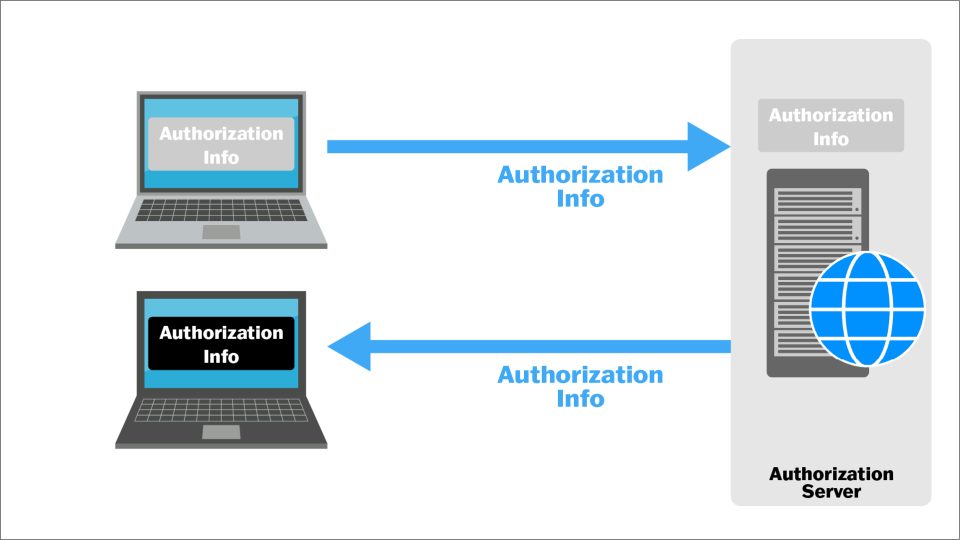
When changing the usage PC as described below, please deauthorization the product in the old PC first. Afterward, perform authorization in the new PC.
- Purchasing a new PC
- Changing the hard disk (storage media) where the software is installed
- OS changes or updates
- Switching from Windows to Mac (or vice versa)
The authorization info is saved on your storage media (such as a HDD). Therefore, if you format the storage media (such as a HDD) where the VOCALOID product is installed, the authorization info will also be erased. In most cases of OS changes, you can continue to use the product even after updating the OS. However, for major updates, it is safer to deauthorization the product before performing the OS update.
Lost authorization info
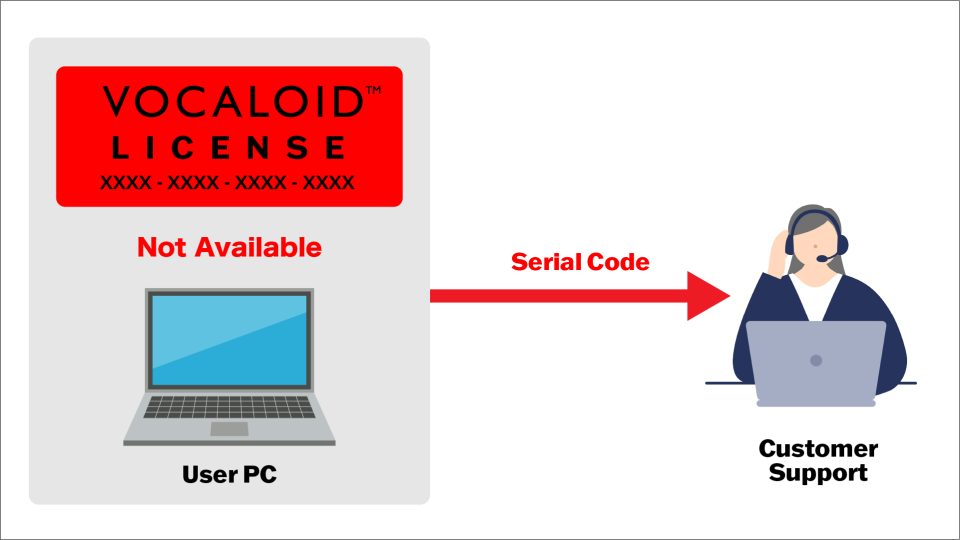
If the authorization info is unintentionally lost due to a hard disk crash or similar issue, please have your serial code ready and contact the support desk at the link below.
Methods for Authorization and Deauthorization
For VOCALOID3 and later (including VOCALOID for Cubase), authorization and deauthorization are performed on both Windows and Mac using the dedicated software "VOCALOID Authorizer."
VOCALOID Authorizer is installed simultaneously with the installation of VOCALOID products. Alternatively, it can be downloaded from the link below.
To perform authorization and deauthorization, launch VOCALOID Authorizer, select the target VOCALOID product, and then choose [Authorization] or [Deauthorization].
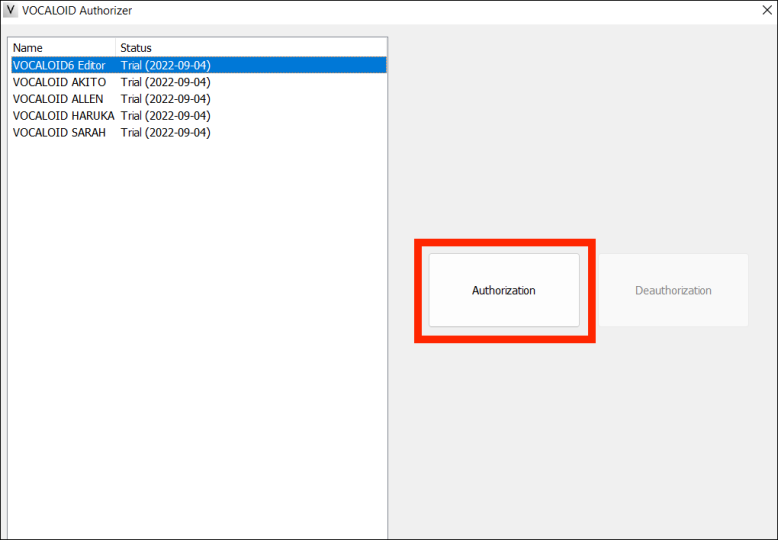
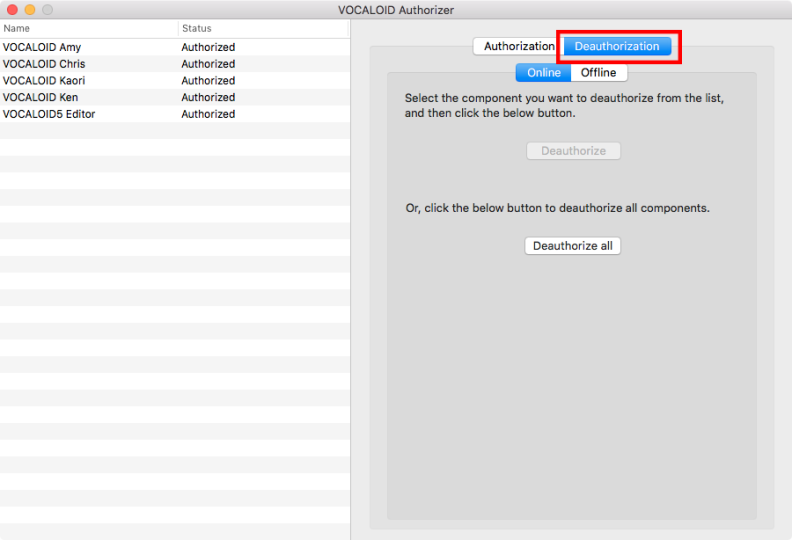
Details on authorization and deauthorization for VOCALOID6 and later can be found in the following articles.