




Making music isn’t just about creating a song from scratch. You can cover a song you love, create just a single phrase, or simply let your favorite character sing your favorite song. With VOCALOID, any idea can become a song, your way.
Your next creation starts here.
The fun doesn’t stop at listening. Let VOCALOID sing with VOCALOID7.
Install the Software and Launch VOCALOID7
No need to transcribe by ear or enter the notes yourself! Just grab a MIDI file.
Pick your favorite character, enter the lyrics, and hit play!
Explore Voicebanks





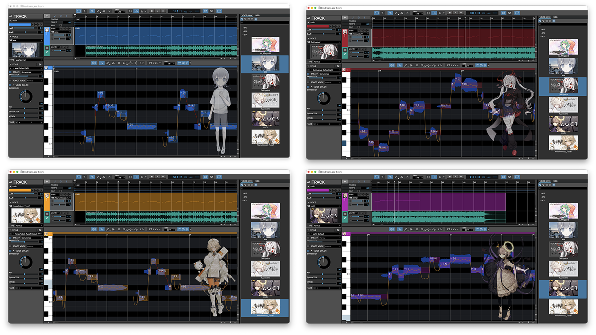
Make music more fun with your favorite characters and artwork.
Over 100 Voicebanks Available at the VOCALOID SHOP











If you own at least one voicebank, you can use VOCALOID7 Editor Lite*. Simply purchase your favorite voicebank and start enjoying VOCALOID7 right away.
Your Favorite Songs, with Your Favorite Voicebank
With VOCALOID7, you can easily make your favorite voicebank sing the songs you love, even if you’re not comfortable transcribing music by ear.
Many Ways to Get Started
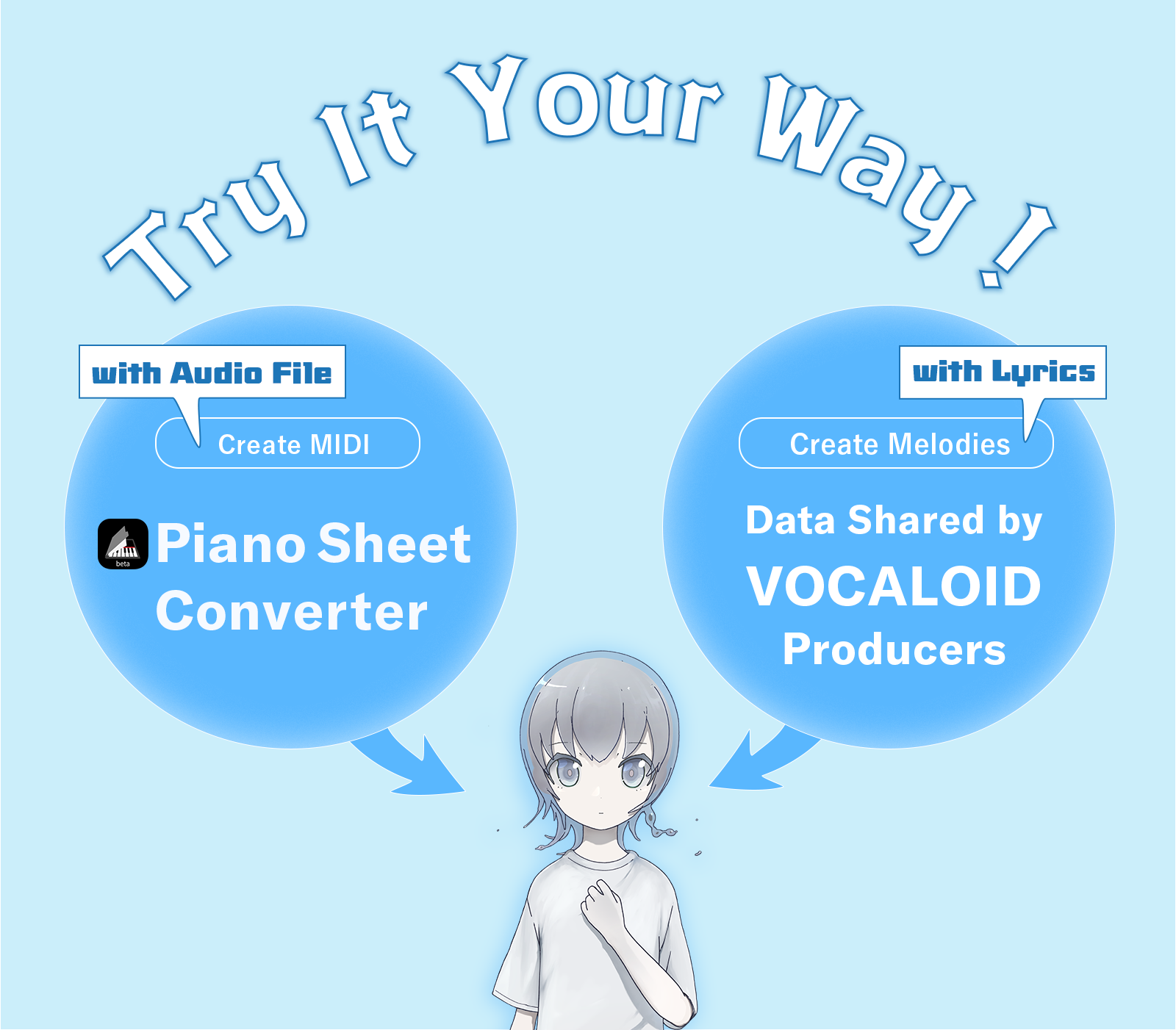
1. Use data shared by VOCALOID producers
Many VOCALOID producers share stem files and VOCALOID project data, such as VPR files. Make the most of these resources to get started.
2. Create MIDI with Piano Sheet Converter Piano Sheet Converter can generate a melody-only MIDI file from the audio of your favorite song. Import the MIDI into VOCALOID, enter the lyrics, and let your voicebank sing.
Create. Share. Enjoy Together.
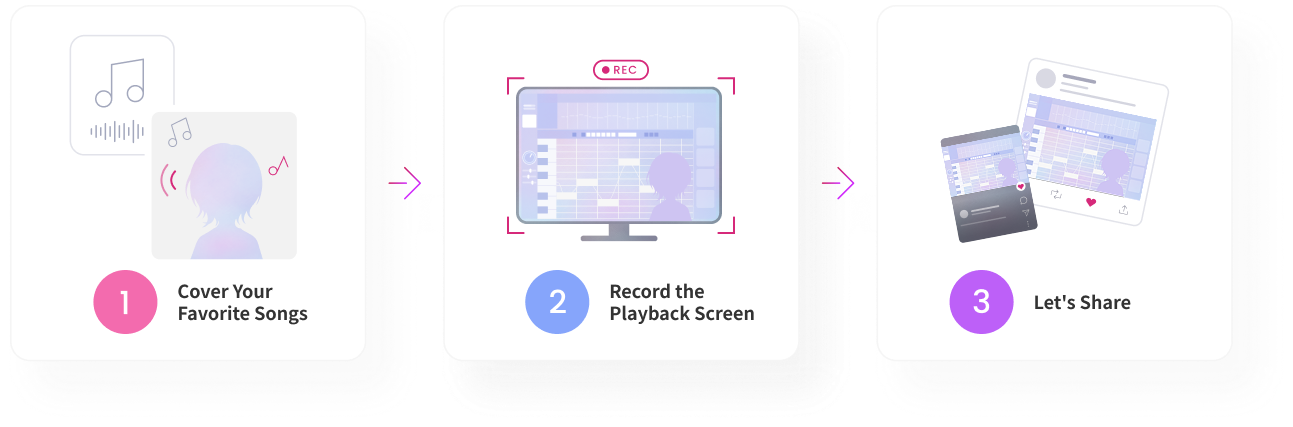
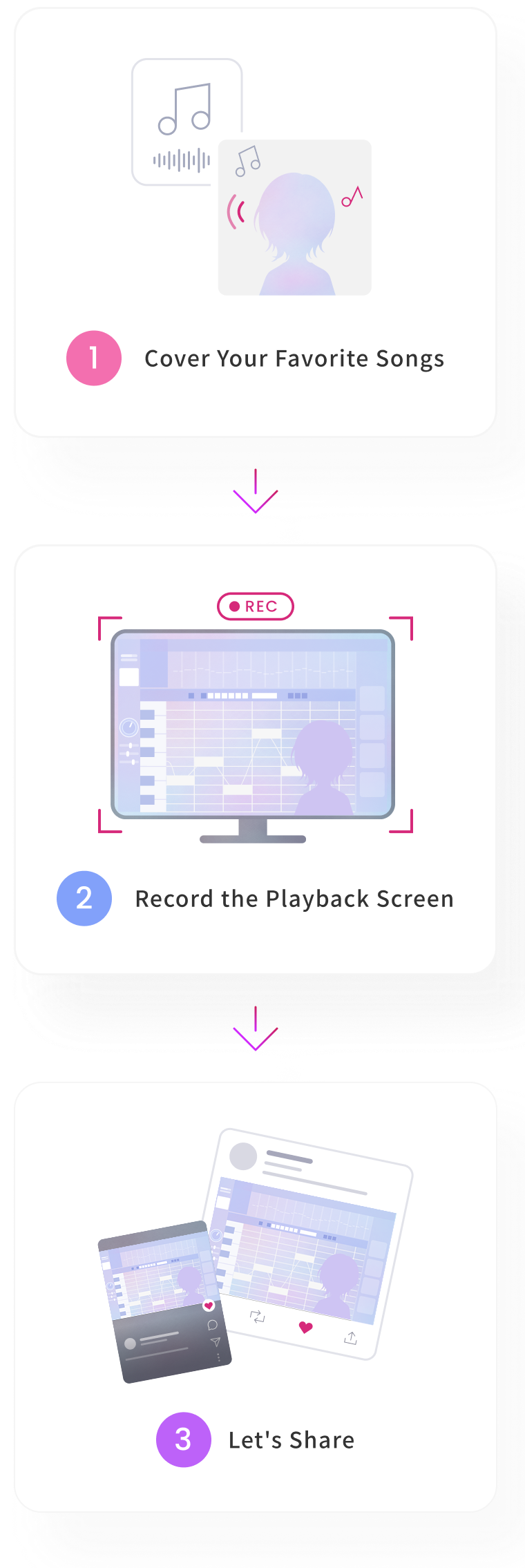
Once you’ve created a song with your favorite character, there’s no need to produce a full music video. Simply record your screen and share it with others.
Enjoy your own unique creation with friends and the community.
Artists’ Messages

As AI continues to advance, enabling increasingly realistic and human-like vocal expression, I feel that VOCALOID strikes an exquisite balance between natural expression and the unique qualities that make VOCALOID what it is. The editor has also become faster and more intuitive to use, making the creative process significantly more comfortable.

VOCALOID 7 is great! With the refreshed icon, it really feels like a fresh start, and I’m excited to get creating again. The integration with Cubase has also improved, cutting out a step or two from tasks that used to be a little frustrating, which is really nice. Personally, I especially like that I can now choose voicebanks by their cover art. I’m looking forward to spending more time with VOCALOID 7 and exploring everything it can do!

I used “VX-β” a lot with VOCALOID6, so I’m really excited to see this feature officially introduced in VOCALOID7! Simply entering lyrics into the text field in the Cubase Key Editor lets you hear them sung right away, which is incredibly useful for Cubase users like me when I want to quickly get an idea of how the vocals will sound. I’m also really looking forward to the new voicebanks coming to VOCALOID7 and discovering what kinds of voices they will bring!

As a longtime user of VOCALOID Editor for Cubase, I’m especially happy to see this integration. In the Cubase Key Editor, I can change lyrics, pitch, note placement, and note lengths seamlessly, without having to think about the underlying workflow. I can refine the arrangement while listening to the nuances of the vocals, bringing back that one-of-a-kind feeling of the song and vocals coming together as one. The new ATTACK parameter is also really interesting. Simply lowering the line gives the vocals a laid-back, almost languid feel.

The VOCALOID Editor has continued to evolve with updates that expand the possibilities for vocal expression, and with VOCALOID7, I feel I have even more freedom to pursue the exact kind of vocals I have in mind. The new “ATTACK” parameter makes it easy to intuitively fine-tune subtle nuances in pronunciation and consonants. This allows me to create more detailed expressions while bringing out the unique character of each Voice Bank. I also find the ability to preserve pitch curves particularly appealing, as it gives me the freedom to shape vocal performances around my own preferences and ideas, without being limited by the singing style of each Voice Bank. I’m really excited to explore these new features and discover new possibilities for vocal expression that I haven’t been able to achieve before.

I’ve been using VOCALOID for Cubase in my music production for years, and with VOCALOID7, I feel the editor has become significantly easier and more intuitive to use. The quality of the singing voices has also improved, allowing me to achieve the vocal expression I have in mind more quickly than ever before. Creating and refining vocals now feels more seamless within my production workflow, making it easy to move smoothly from track production to detailed vocal adjustments. I’m really looking forward to exploring new possibilities for vocal expression in my future music production.

I found it very intuitive to use, without the usual stress that comes with learning new software. The UI is also very clear, with everything neatly organized within a single screen. The editing interface feels similar to VariAudio in Cubase, so as a Cubase user, I found it very easy to understand. That said, I think even those who don’t use Cubase will be able to get familiar with it very quickly. There is also a guide-like feature called the “Context Menu,” which is very helpful whenever you’re unsure how to use a particular function, as it helps you understand what you can do right away. Overall, I feel that everything from the workflow and UI to the quality of the voicebanks has evolved significantly from previous versions. It’s a product I can confidently recommend to everyone, from beginners to professionals.

I’m really pleased with the improved integration with Cubase. It’s now much easier to start playback of the entire project, including the DAW tracks, directly from a position specified in the VOCALOID Editor, something that previously required some extra setup. Mute and solo controls for vocal tracks are also linked with the DAW. Since I prefer to work mainly in VOCALOID7 Editor when entering and editing vocal data, this improvement has made my workflow much more efficient. The updated VOCALOID:AI also seems to deliver more stable vocal results right from the start compared with previous versions, making it even easier to work with, especially for first-time users.
| Products | New Purchase VOCALOID7 Editor – Full Version |
Upgrade version VOCALOID7 Editor Upgrade version |
Trial version VOCALOID7 Editor Trial version |
Limited Features VOCALOID7 Editor Lite version |
|---|---|---|---|---|
| Price | USD 129.00 | USD 69.00 | Free (31 Days Only) | Free A feature-limited version available free of charge with no time limit to anyone who owns a voicebank. |
| Recommended For | Those ready to take music production with VOCALOID to the next level方 | Those ready to upgrade their music production setup from an earlier version of VOCALOID | Those ready to try the features and voices before purchasing | Those ready to get started easily with just a voicebank |
| Buy | Upgrade | Trial | Detail |